Picture a small online tutoring center that has just published a new set of pages: an IELTS speaking course, a short guide to scholarship essays, a page on study-abroad timelines. The founder wants to know one simple thing. Are these pages climbing in search, or are they sitting on page five where nobody looks? Checking by hand means searching the same phrases every morning, and the results change depending on who you are and where you sit.
This walkthrough shows how a team like that could set up keyword rank tracking in about fifteen minutes with ServiceHub247, a rank tracker built for SEO specialists, freelancers and small agencies. We follow the product's own three-step flow and say plainly where it helps and where you will still need your own judgment.
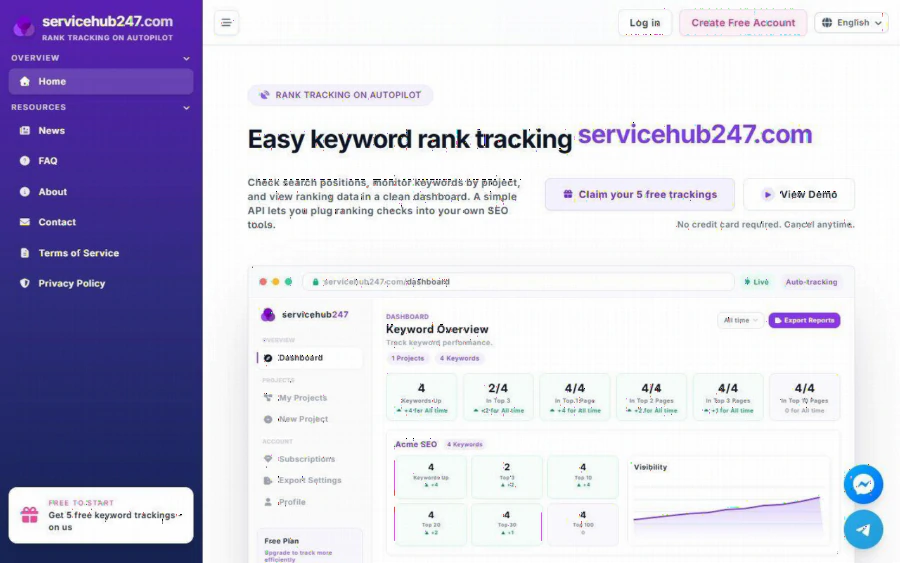
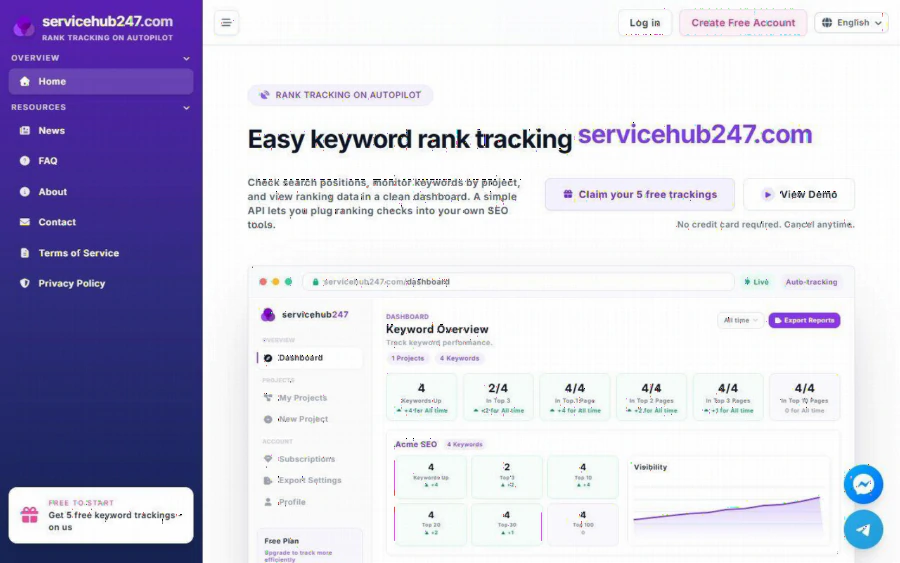
ServiceHub247 homepage showing the keyword overview dashboard preview and the free trackings button
Why a tutoring site needs rankings, not just traffic
Education sites live on long-tail searches. Parents type a question, students type an exam name, and a few pages bring in most of the visitors. Traffic numbers tell you what already happened. Rankings tell you what is about to happen, because a page that moves from position 14 to position 8 will usually get noticed before your analytics catch up.
There is also a seasonal rhythm. Exam registration windows, scholarship deadlines and school intake dates all shift demand. If you are tracking ten or twenty important phrases, you can see early whether a page needs a refresh before the busy season starts, rather than after.
Step 1: Create a project for the site
According to the ServiceHub247 homepage, the flow is three steps: add a project, enter your keywords, choose a region. Start with the project. A project is simply a container for one website, so our tutoring center creates one named after its domain.
If you manage more than one site, for example a main center site and a separate blog, give each its own project. The dashboard groups results per project, which keeps a scholarship blog from muddying the numbers for a course page. The FAQ also notes that keywords can later be moved between projects, so an early mistake is easy to fix.
Step 2: Choose keywords that match real decisions
Resist the urge to paste in two hundred phrases. A better starting list for a tutoring site is small and tied to pages you can actually change:
- One phrase per money page, such as the course name plus the word "online".
- One phrase per guide you hope will bring in new readers.
- Two or three phrases a competitor ranks for that you would like to challenge.
The free plan covers five keywords with weekly checks, which is enough for a first experiment. Five phrases force a useful discipline: if you can only watch five, you pick the five that matter. When the team is ready to watch more, the paid weekly plans start at a few dollars a month according to the site's plan table, but check the current prices on the page before you decide, since they can change.
Step 3: Pick the region that matches your students
This step is easy to skip and costly to get wrong. The FAQ explains that each keyword carries a region field that decides whose search results are tracked. A tutoring center serving students in Australia should not judge its pages by results seen from another country.
For a site with two audiences, say local families and overseas students, add the same phrase twice with two regions. You will often find the page ranks well in one market and barely appears in the other. That gap is useful information. It tells you whether to write more local detail or to build a page aimed at the second audience.
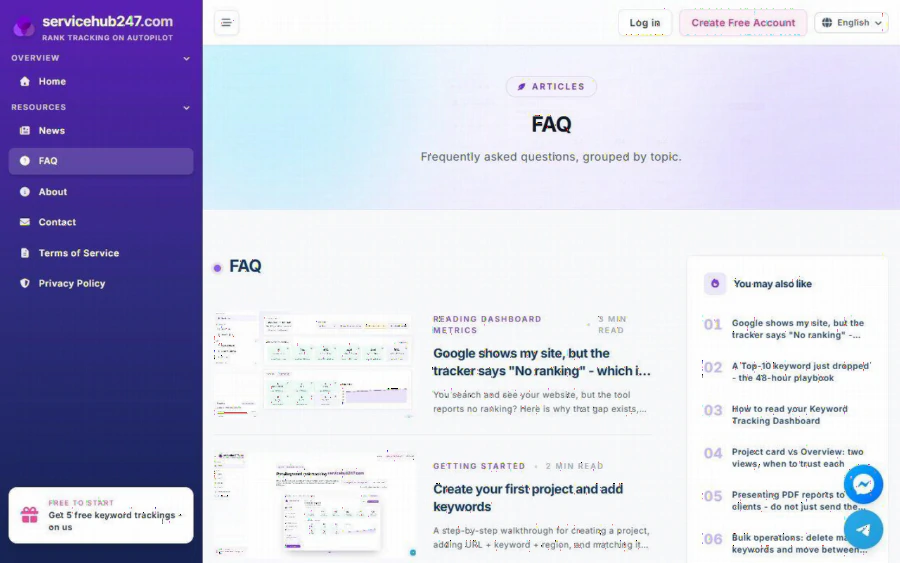
ServiceHub247 FAQ page listing articles on creating a first project, adding keywords and reading dashboard metrics
Step 4: Read the dashboard without over-reading it
Once keywords are in, the dashboard fills with cards: Keywords Up, Top 3, Top 10, Top 20, Top 30 and Top 100, plus a Visibility chart that shows direction over time. For our tutoring center, the Top 10 card is the one to watch first, because page one is where clicks happen.
A few habits keep the numbers honest:
1. Compare trends, not single days. One bad check is noise. Three weeks of slow decline is a signal.
2. Expect gaps with what you see yourself. The FAQ has an article on why Google can show your site while a tracker says "No ranking". Different regions, personalization and timing all play a part, so do not panic over one mismatch.
3. Match the card to the question. Project cards and the overall view answer different questions, and the help articles explain when to trust each one.
Step 5: Let the daily digest do the nagging
The part many small teams end up liking most is the Daily Ranking digest. Every morning it sends a summary of rankings that moved in the last 24 hours, sorted into UP, DOWN, NEW and LOST. Nobody has to remember to log in. If a scholarship guide drops out of the top ten overnight, it shows up in your inbox with the other changes.
The FAQ even includes a playbook for a Top 10 keyword that suddenly drops. The short version of good practice here is to wait for a second check before rewriting anything, look at the page itself for broken elements, and only then consider content changes.
Step 6: Report to the people who pay for results
Tutoring centers often answer to a director, a school partner or a parent committee. ServiceHub247 can export reports, including a PDF snapshot. One caution from the site's own help articles: do not send the raw export unchanged. Add two or three sentences saying what moved, why you think it moved, and what you plan to do next. A table of positions with no explanation tends to raise more questions than it answers.
What it does not do
Being honest about limits makes a tool easier to trust. A rank tracker tells you where a page stands. It does not write the page, fix a slow site or earn links. The FAQ does not state how often keywords are checked, so confirm the frequency you need against the plan table before subscribing. And because rankings differ by region, device and time, treat any single number as an estimate rather than a promise.
If you already pay for a large SEO suite, a small dedicated tracker may be redundant. It makes the most sense for freelancers, small agencies and single-site owners who want focused tracking without a big monthly bill.
A simple first week for your own site
Here is a plan you can follow in order, whether you run a tutoring center or any small education site:
1. Open a free rank tracker for small projects account and create one project for your main domain.
2. Add five keywords: three for money pages, two for guides.
3. Set the region to match where your students actually search from.
4. Skip the dashboard for a week and read the daily digest instead.
5. At the end of the week, write down which phrase moved most and open the page to see why.
That last step is the real payoff. Tracking only matters when it changes what you do on the page. Start small, keep the list short, and let the weekly pattern tell you where to spend your next hour of writing time.
